 Ember Noise
Features
What you can do with this ambient sound mixer
Moving through a four-sound blend anchors Ember Noise. The surrounding tools help you build, shape, save, and move the mixes you want. Ember Noise is free, has no ads or subscriptions, and works without an account.
The blend matrix
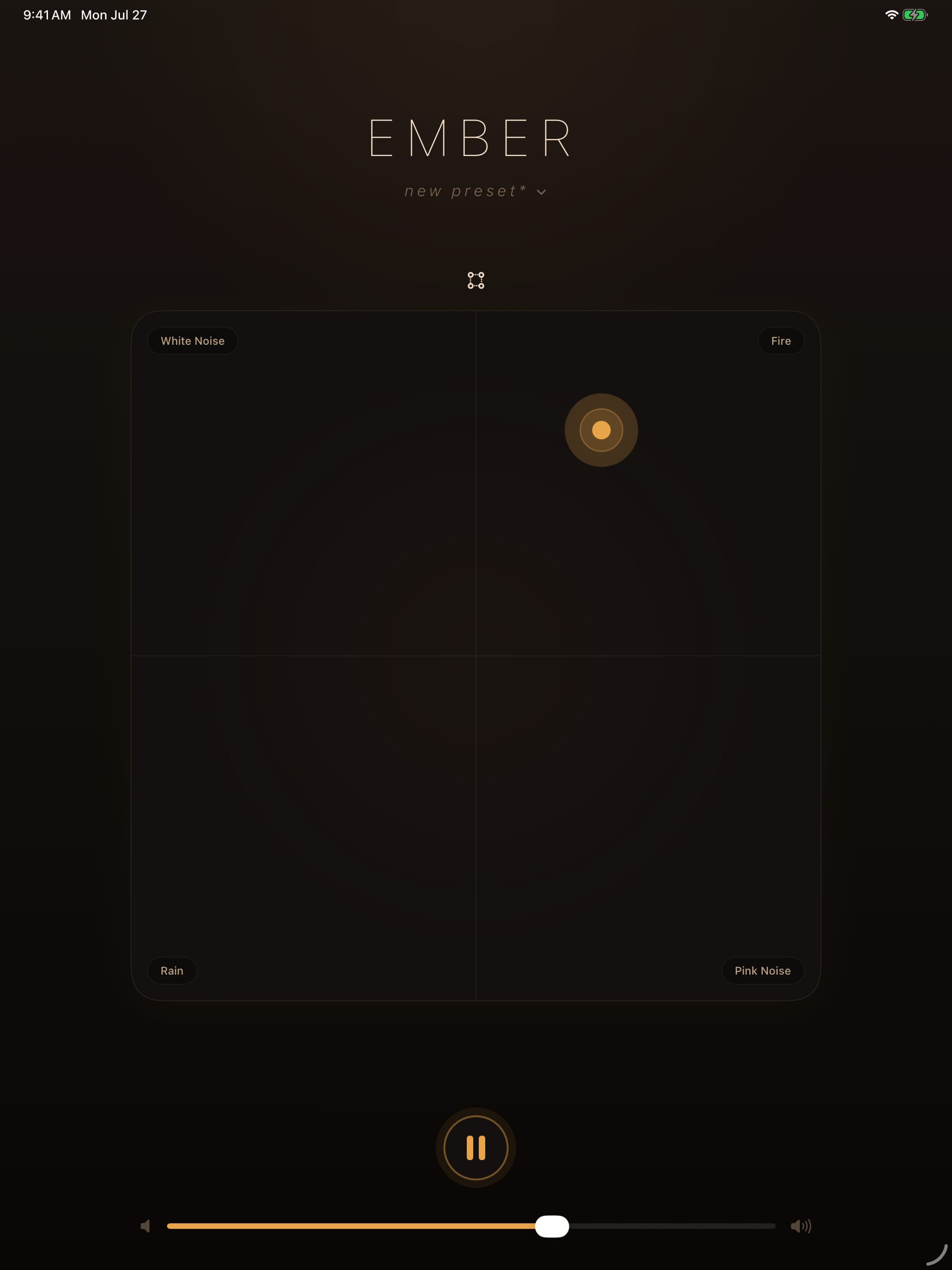
Four sounds sit at the corners of a square; the glowing ember sits wherever you drag it. Corner volumes follow the ember's position by bilinear interpolation, which weights both axes continuously as your finger moves. Center gives you an even four-way blend, while each corner isolates its assigned sound.
All four streams stay loaded while the app plays. Dragging changes only their weights, which is why the blend answers instantly.
24 built-in sounds, plus your own
Three generated noises sit beside 21 looped environments: airplane cabin, fans, car and train interiors, rain and thunder, rivers and oceans, wildlife, fire, wind, a coffee shop, and a city park. Rings of Neptune is an ambient reworking of Gustav Holst’s Neptune, the Mystic. Every built-in sound ships with the app and plays offline.
Search by name, source, category, or tag; favorite sounds you return to; and hold to audition one without losing the current mix. Bring your own audio with Import from Files, then choose its loop range, soften the seam, preview it, and organize it for later.

Parametric EQ for every sound
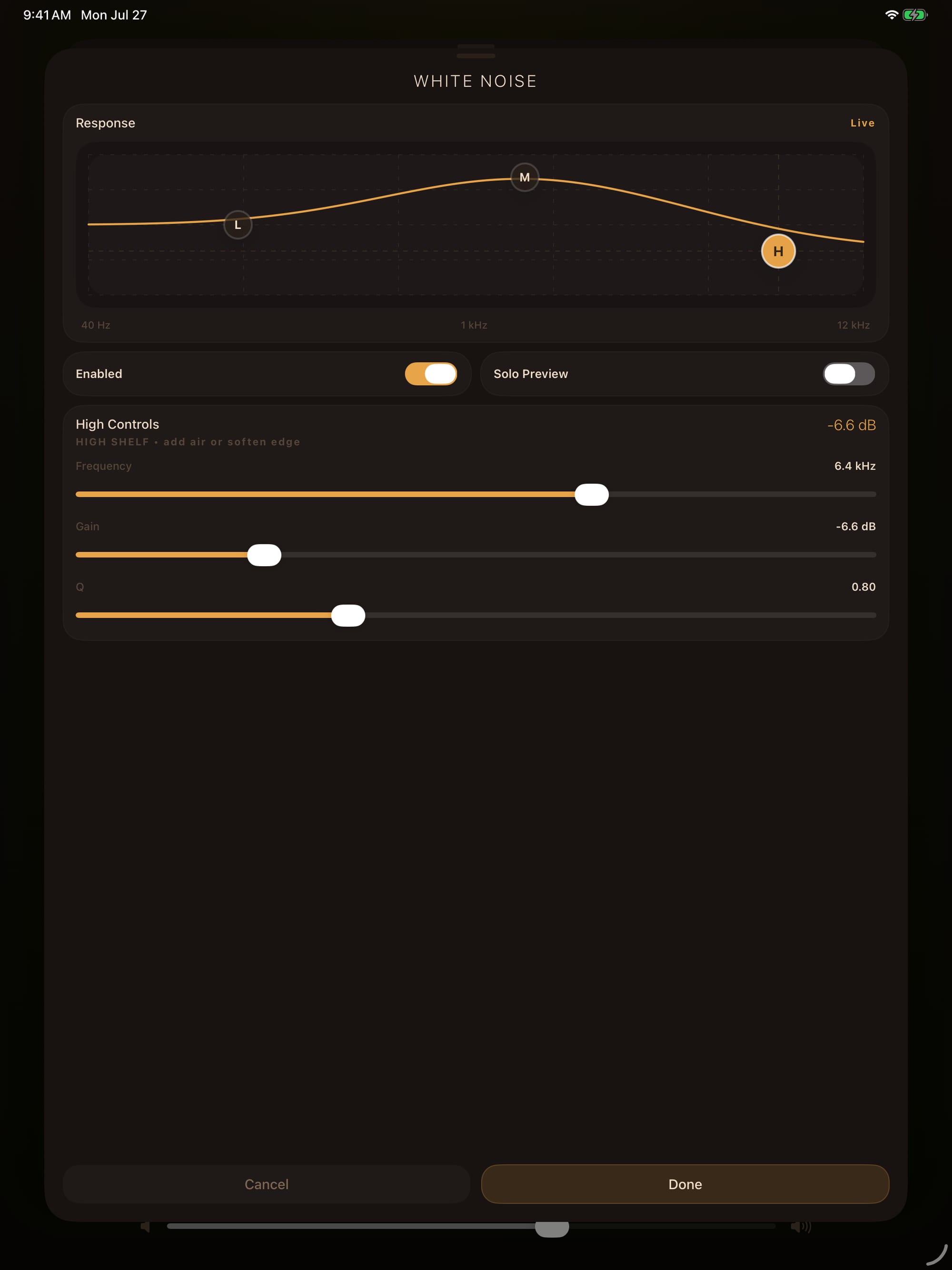
Each sound carries its own three-band parametric EQ with a low shelf, mid bell, and high shelf. Every band provides frequency, gain, and Q controls. Drag the nodes on the live response curve, solo-preview the sound you're shaping, and A/B against bypass. Too-bright white noise becomes a soft hush without touching the rest of the blend.
Presets that stay useful as the library grows
Twelve factory presets provide distinct starting places, from cloud cabin to coastal storm. Save your own mix or Save As a new one; search and filter a larger collection; add tags and favorites; remove factory presets you do not want and restore them later. A preset keeps its four sounds, ember position, EQ, and automation together.

Drawn motion and stop timers
Build an automation path by adding and moving waypoints on the mixer, choose a duration from five seconds to 24 hours, then loop it or send it back and forth. For sleep, choose a quick timer or save and pin a custom duration. A countdown ring shows what remains and playback fades out over its final seconds.

Encrypted transfer on your local network
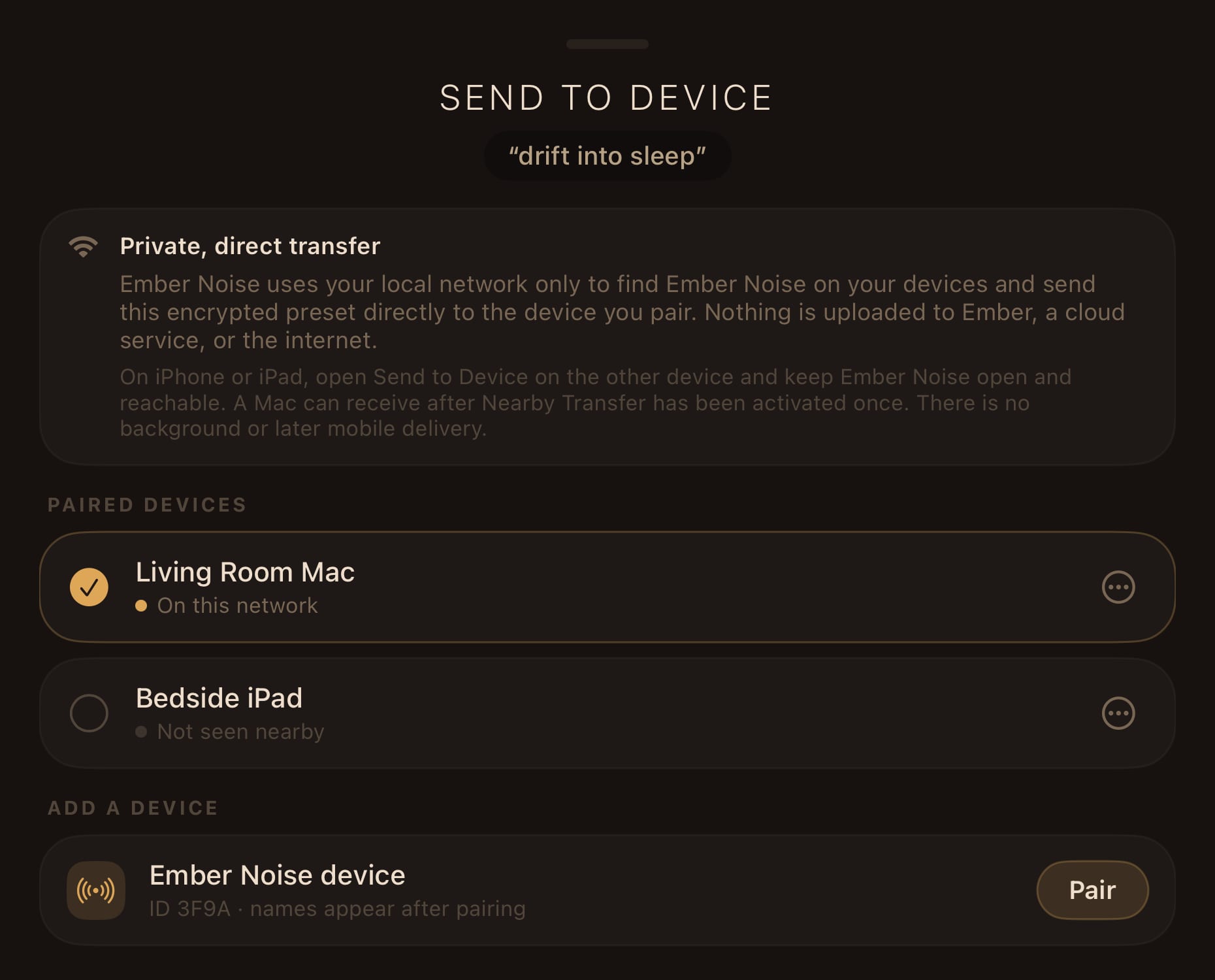
Send a saved iPad mix to your Mac or iPhone directly over your own network. The transfer uses Bonjour discovery, paired identities held in the Keychain, and end-to-end encryption (authenticated HPKE). The app operates without a transfer server. The preset travels with its imported sounds, and the sender only reports success after the receiver has verified and durably saved it.
A Mac app that lives in the menu bar
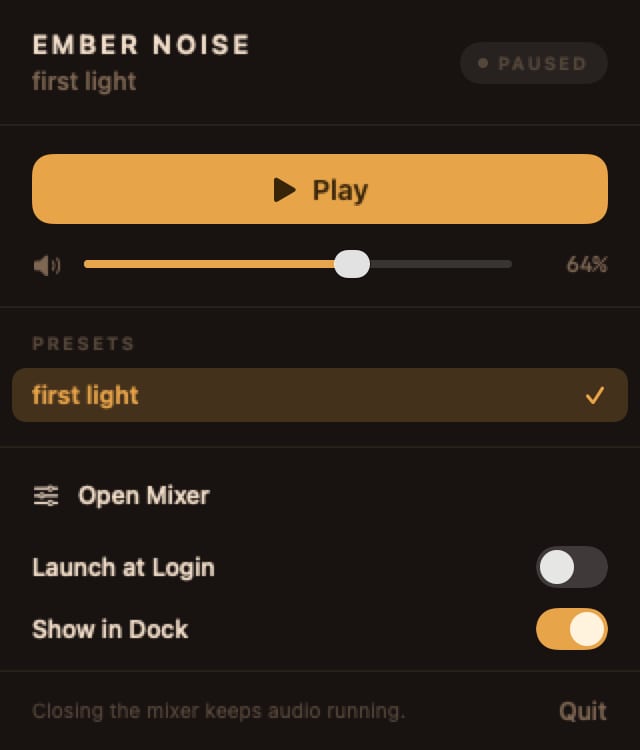
On the Mac, Ember Noise is a native AppKit/SwiftUI app showing the landscape mixer in a resizable window. Close the window and the sound keeps going. Play/pause, volume, presets, and stop-timer status stay one click away in the menu bar. Launch at Login is opt-in, and the Dock icon has three modes. Media keys and Now Playing connect playback to the system controls.
In-app lessons and user-reviewed reports
An eight-step Welcome covers the essentials. Seven replayable lessons on iPhone and iPad teach individual features, and Mac adds a Menu Bar Companion lesson. Tips & Tricks keeps useful gestures close at hand. If something goes wrong, Report a Problem prepares a readable diagnostic report on your device. You review it before choosing how to send or copy it.

See it on your platform
The Apple apps are in release testing and are not publicly available yet. A Linux version is in active development and is not a public distribution yet. See the current status of each platform.