 Ember Noise
The matrix mixer
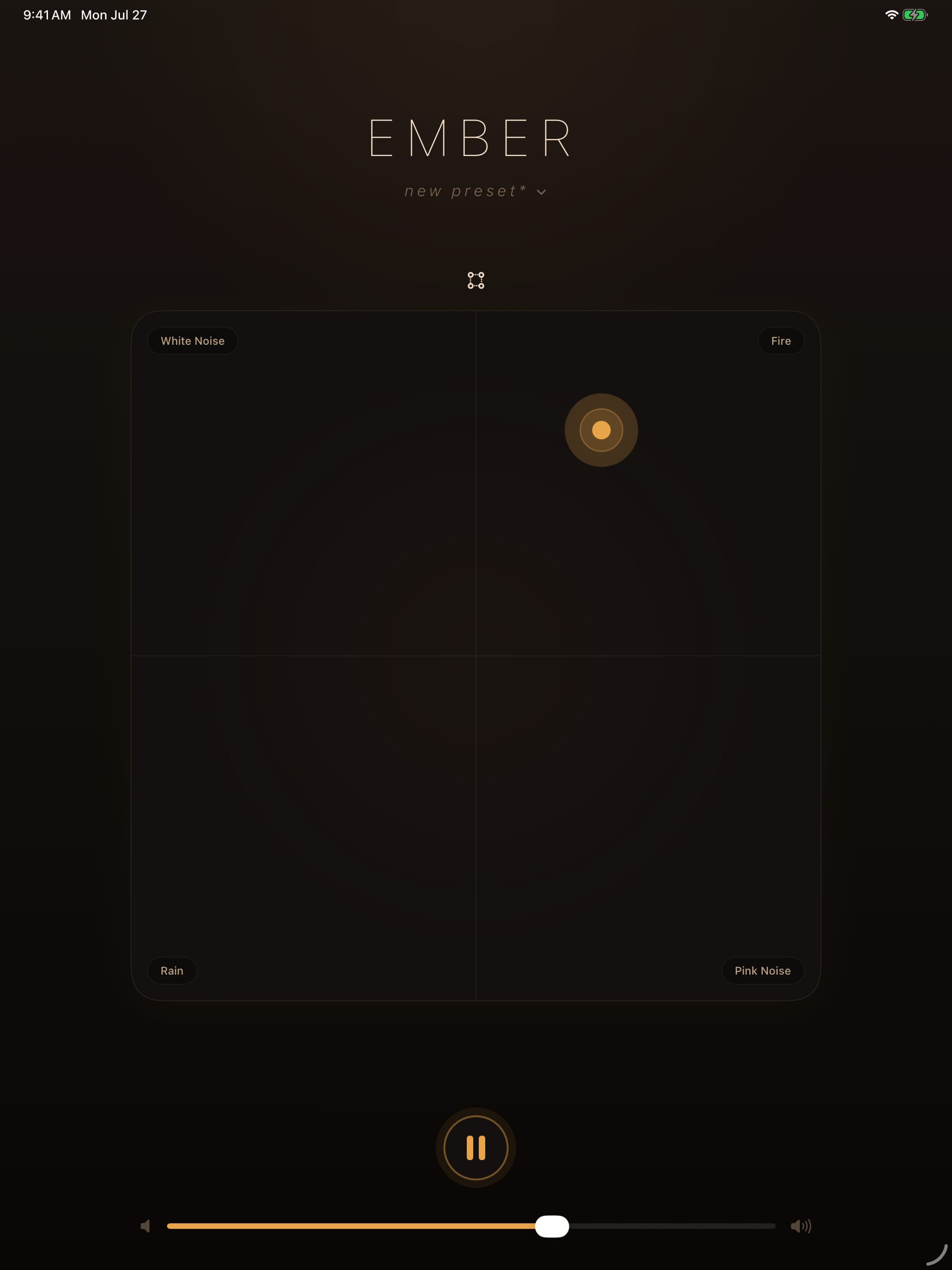
The Ember Noise matrix places one sound in each of four corners. One draggable point, the ember, blends them.
How the blend is computed
The mix uses bilinear interpolation: each corner’s volume is weighted by how close the ember sits to that corner, along both axes at once. In practice that means:
- Dead center: all four sounds at equal weight.
- On an edge midpoint: an even blend of the two nearest corners, the far pair silent.
- In a corner: that sound solo.
- Anywhere else: a smooth, continuous four-way weighting with no audible steps as you drag.
Because the interpolation is continuous, tiny movements make tiny changes. The blend you hear while dragging continues after you let go. The matrix does not switch into a separate preview mode.
Changing a corner sound
Tap the sound chip in any corner to open the picker for that corner. Choose one of the 24 built-in sounds or one of your imports, and the corner swaps immediately, including during playback. The same sound can occupy more than one corner if you want to weight it more heavily in the blend space.
Continuous playback while mixing
All four corner sounds stay continuously loaded while the app plays. Moving the ember changes the weights on streams that are already running, so the blend responds immediately.
When automation is moving the ember
An automated preset follows its saved waypoint path. The matrix does not accept manual position changes while that motion plays. Open automation editing to change or clear the path. See presets & automation for the editing controls.