 Ember Noise
Send to Device
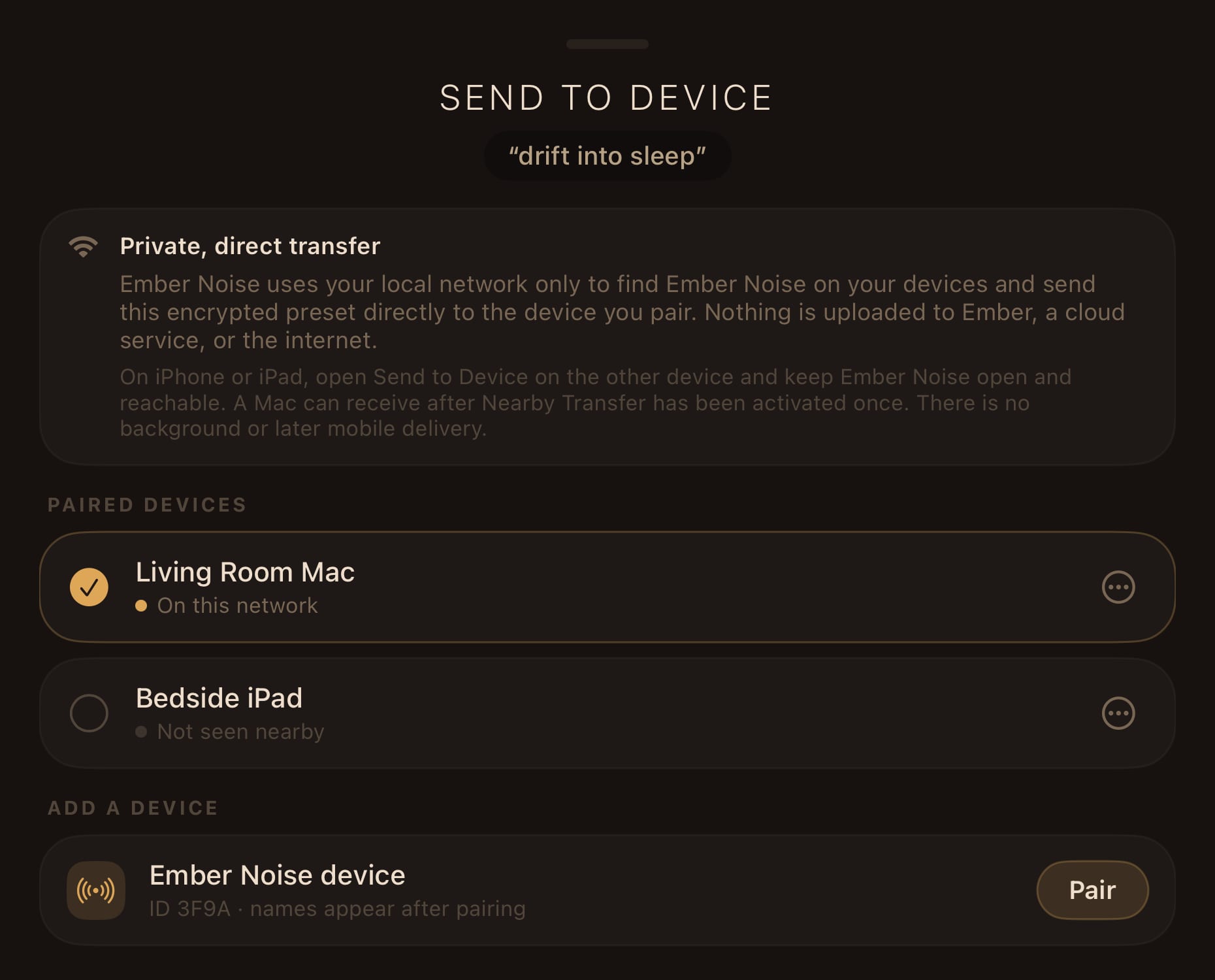
Send to Device moves a saved preset directly between Ember Noise installations on your local network. The encrypted transfer works without an account or internet fallback and never uses a cloud relay.
What gets sent
A saved preset and everything it needs: the mix, corner assignments, EQ curves, and any imported sounds the preset references. The receiving device stores a complete working copy, including every referenced imported file.
Ember Noise stores this content in an .ember package. The portable format
can contain sounds, presets, or both. A preset-only package can reference sounds
already built into Ember Noise, while a sound-only package acts as a sound pack,
such as a downloadable collection of sounds.
An .ember file is integrity-checked before import, but it is not encrypted or
DRM-protected. It is a purpose-built container rather than a ZIP, so ordinary
unzip tools will not open it; a technically inclined user can still extract its
audio. Treat an .ember file like any other audio file you distribute: create
and share one only when you have permission to redistribute everything inside.
Send to Device encrypts the package while it travels between your paired
devices. That transport protection does not turn a separately downloaded or
saved .ember file into an encrypted file.
How it works
- Save the mix as a preset. The transfer action stays unavailable while the current mix has unsaved changes.
- Open Send to Device from the preset actions.
- The first time, pair the devices. They exchange identities and store them in the system Keychain.
- Pick the paired device and send. The transfer is end-to-end encrypted (authenticated HPKE), and the sender reports success only after the receiver has verified the package and durably saved it.
Discovery uses Bonjour on your local network. Confirm the same six-digit code on both screens when pairing. Paired-device rows show whether a device is on the network and let you rename or unpair it.
On iPhone and iPad, the receiving app must remain open in the foreground. The Send to Device sheet can be closed after Nearby Transfer has been activated. Ember Noise never runs local-network services in the mobile background, and it asks for Apple’s Local Network permission only when you first open this flow. A Mac can keep receiving from the menu-bar app after Nearby Transfer has been activated once, even with the mixer window closed.
The sender shows packaging, connection, transfer, verification, and save progress. The receiver saves the preset before success appears and then offers Listen Now. If its name already exists, the received copy gains a (Received) suffix.
Transfer boundaries
Both devices must be reachable on the same network during the transfer. Ember Noise attempts delivery only while the apps are active and reachable. Suspended mobile apps stay asleep, and the transfer leaves no server copy.